Streamline the Development Process

with Aurora FPGA/eFPGA User Tools

Build flexibility and differentiationninto your next SoC

Features

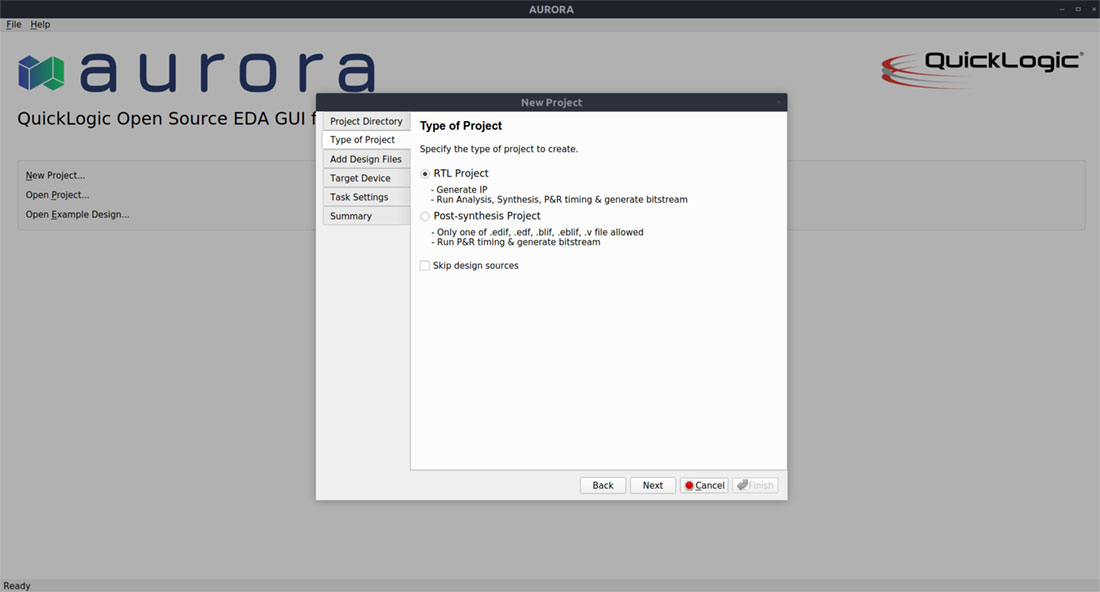
Intuitive GUI and command-line support

Design the eFPGA the way you prefer


Based on open-source components

More control, more features and, more longevity


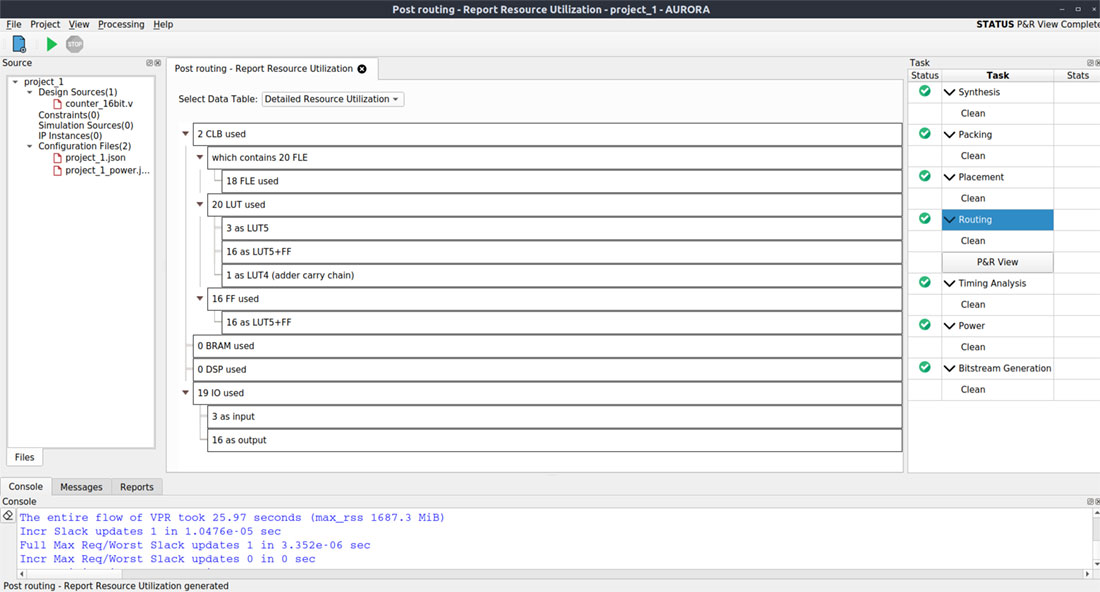
eFPGA resource estimation

Define number of LUTs, DSPs, BRAMs to meet your application requirements

Complete design suite

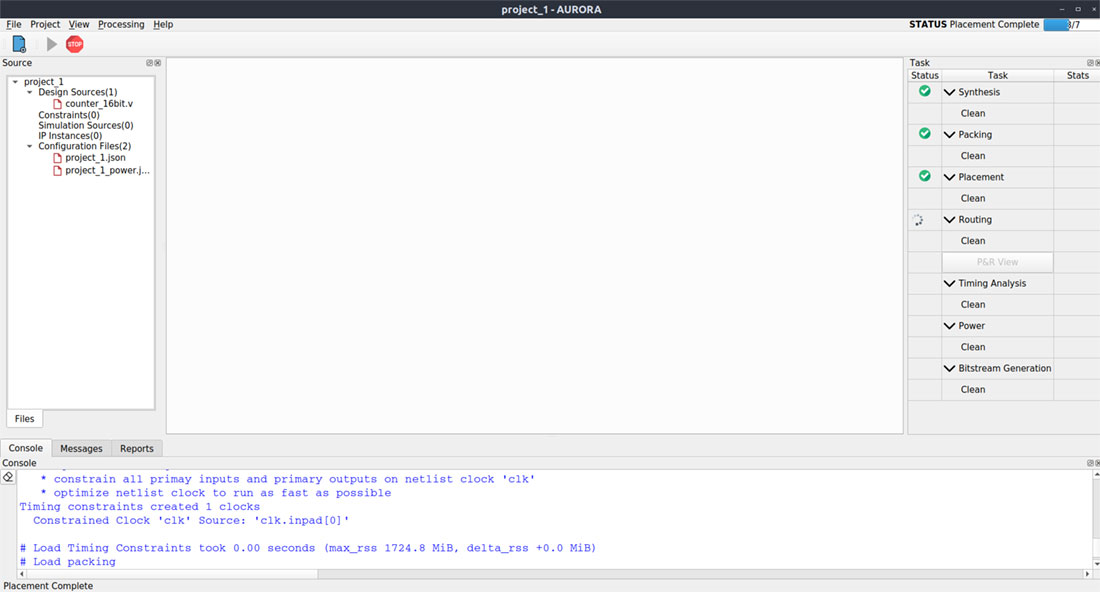
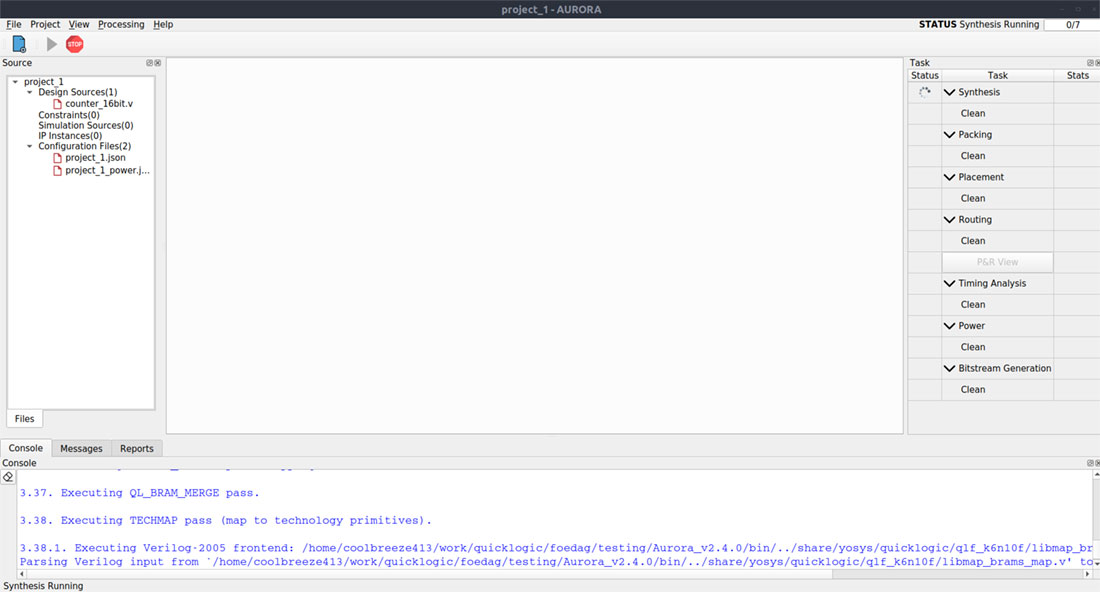
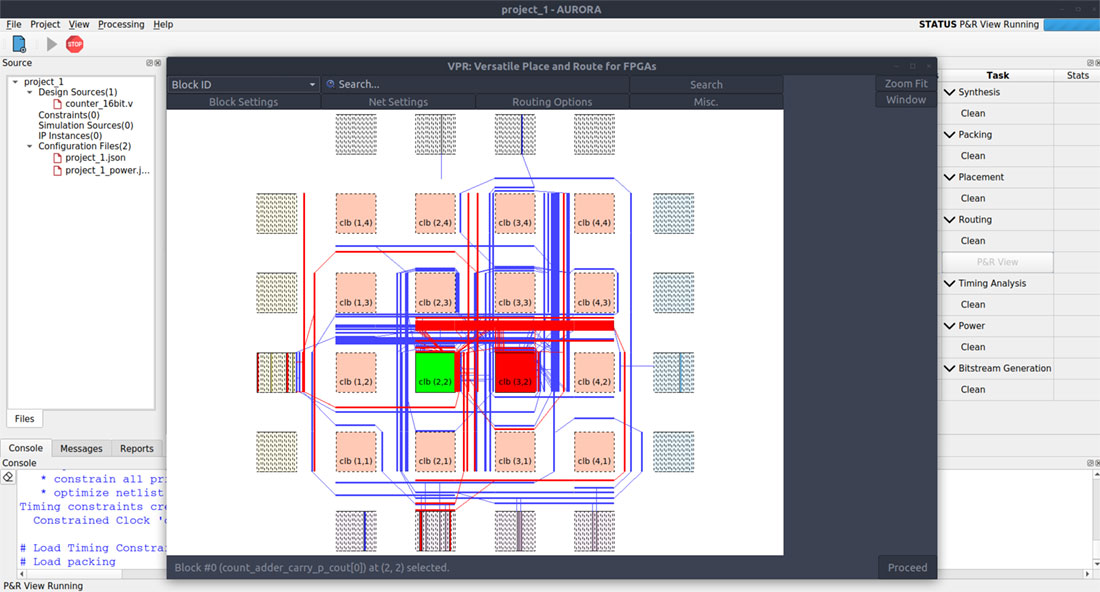
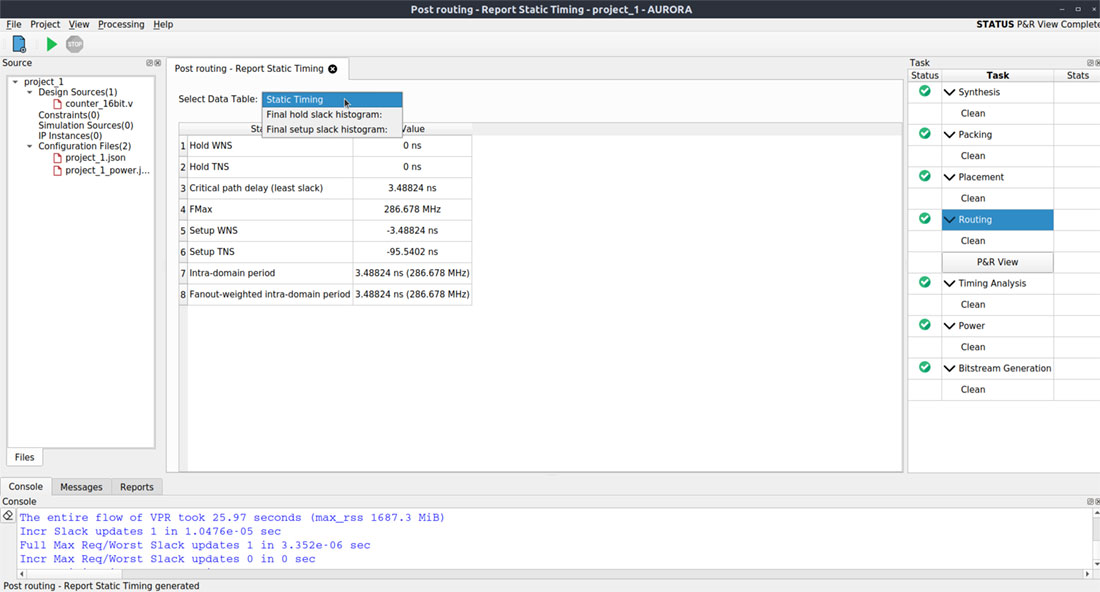
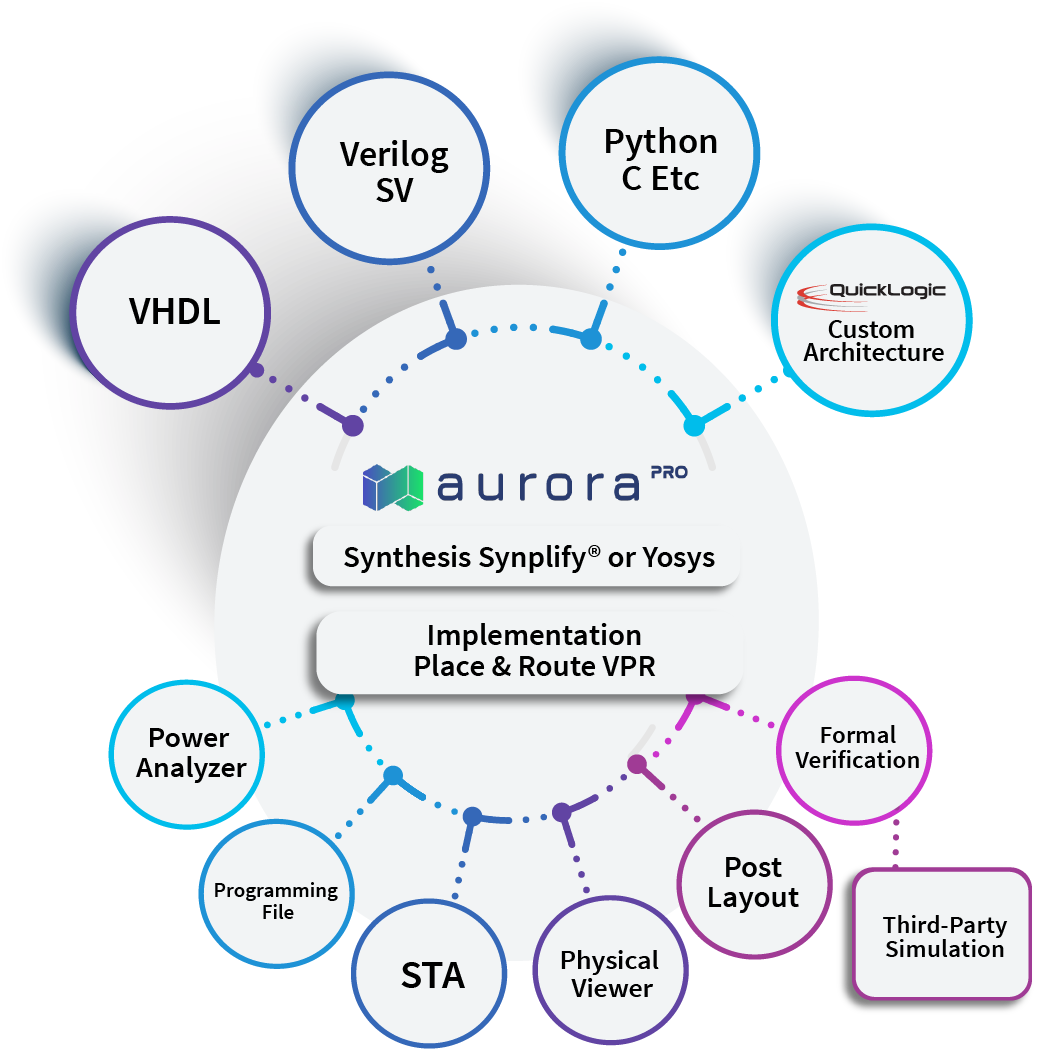
Synthesis, place & route, timing analysis, and bitstream generation

Benefits

Easy to use

User friendly interface for both beginners and advanced users


More Transparency

The code is highly inspectable, enabling continuous improvement.

Streamlined definition process

With Aurora, you can try different array configurations and define what works best

Fast runtime

For faster design iterations to meet your design targets

What’s New

Aurora 2.9 Highlights

BlockRAM and DSP IP Configurator

Enables seamless integration of on-chip memory and DSP functions

Improved Runtime

Achieves up to a 2X improvement for Place and Route (P&R) tools

Custom Function Support

Enables the instantiation of LUT macros to create custom function

Integrated Path Analysis (IPA)

Features improved startup time

Optional Synopsys Synplify logic synthesis in the Aurora PRO version
Aurora Highlights

Pin Constraint Manager GUI

User can easily assign and place I/O interfaces using an intuitive Graphical User Interface

Improved Carry Chain Architecture

Enhanced carry chain architecture improves performance by as much as 20%

Asymmetric BlockRAM (BRAM) Inferencing

Aurora’s Inferencing feature streamlines the implementation of reconfigurable computing algorithms, by automatically adapting BlockRAM (BRAM) read/write widths, eliminating the need for manual RTL design modifications.

State-of-the-Art “Single Stage” Routing

The Single Stage Routing algorithm significantly enhances the maximum operating frequency (Fmax) of designs for QuickLogic eFPGA cores. It has shown an impressive Fmax increase of up to 24% in QuickLogic’s benchmark designs, ultimately optimizing FPGA performance.

Power Calculation

The power calculator in the Aurora FPGA Tools calculates dynamic power from a user’s design’s clock frequencies and extracted capacitance models extracted from QuickLogic’s ASIC-like design methodology.

The Tools simplify power calculation for eFPGA cores by automatically estimating dynamic power consumption based on design clock frequencies and capacitance models. This automation, coupled with QuickLogic’s CI infrastructure and CLI options, enables users to efficiently calculate power consumption across a range of designs.

Support for Windows and Linux OS Platforms

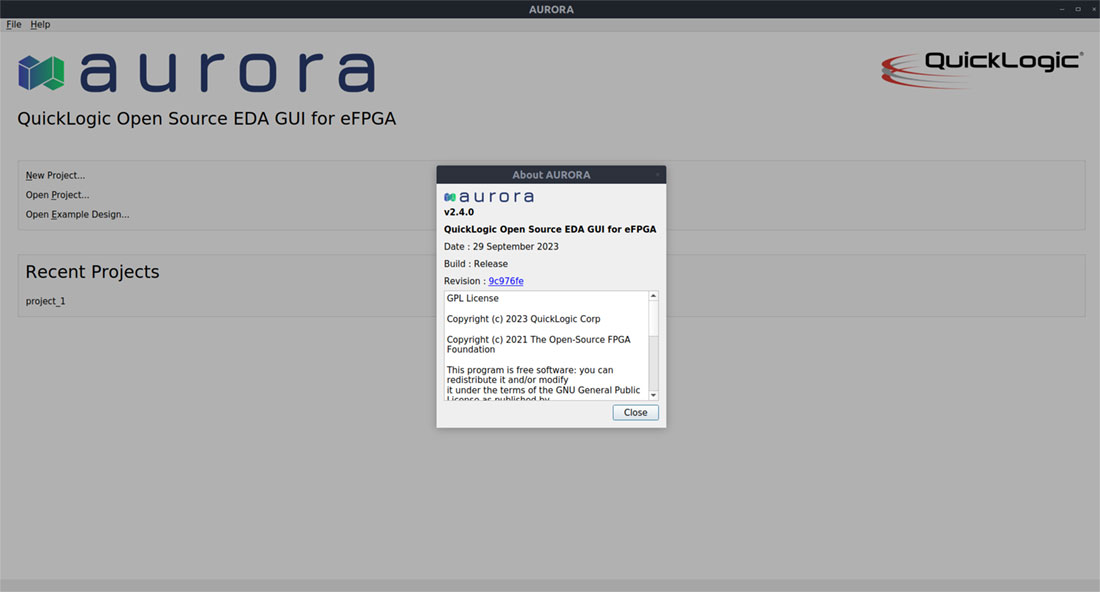
Aurora is now available on Windows 11/Windows 10 OS platform and all of the major Linux distributions (including Centos, RedHat, and Ubuntu), via a unified Linux installation package.

Interactive Path Analysis (IPA) Feature

A standout addition is the Interactive Path Analysis (IPA) within the new Graphical User Interface (GUI). Interactive Path Analysis (IPA) Feature allows users to debug their design timing in lot more detail by highlighting the routing for critical paths in the design. This will enable users to decide how they can improve the design’s timing performance. The inclusion of IPA exemplifies Aurora’s evolution towards more intuitive and insightful design analysis, facilitating smoother development processes for engineers.

Usability Features

The tools includes several developments to the workflow to improve overall user’s design time. These include:

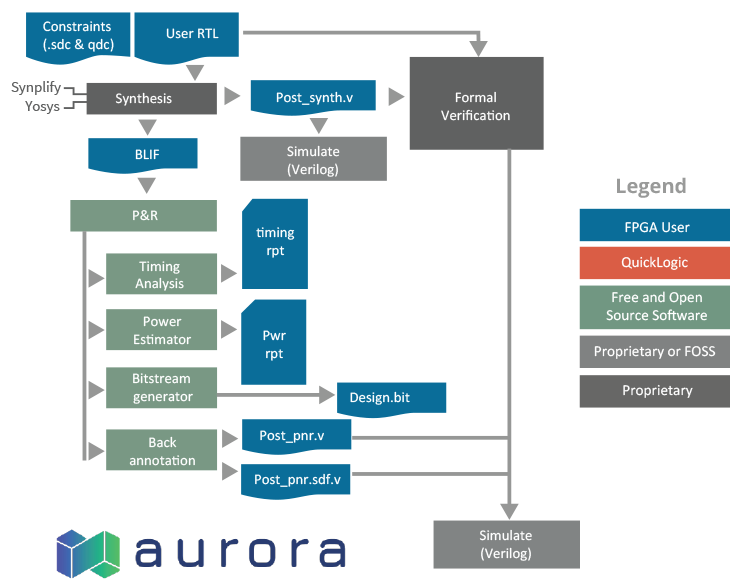
Aurora Tool Components

Tool Flow

Resources

Brief

eFPGA Brief
Read Brief

Learn More About

eFPGA IP Overview

Hardware re-programmability to optimize for various application

Learn More
eFPGA IP 2.0 Generator

Our steps in developing eFPGA IP for your next project

Learn More
Radiation-Hardened eFPGA IP

Customizable eFPGA IP optimized for space applications

Learn More